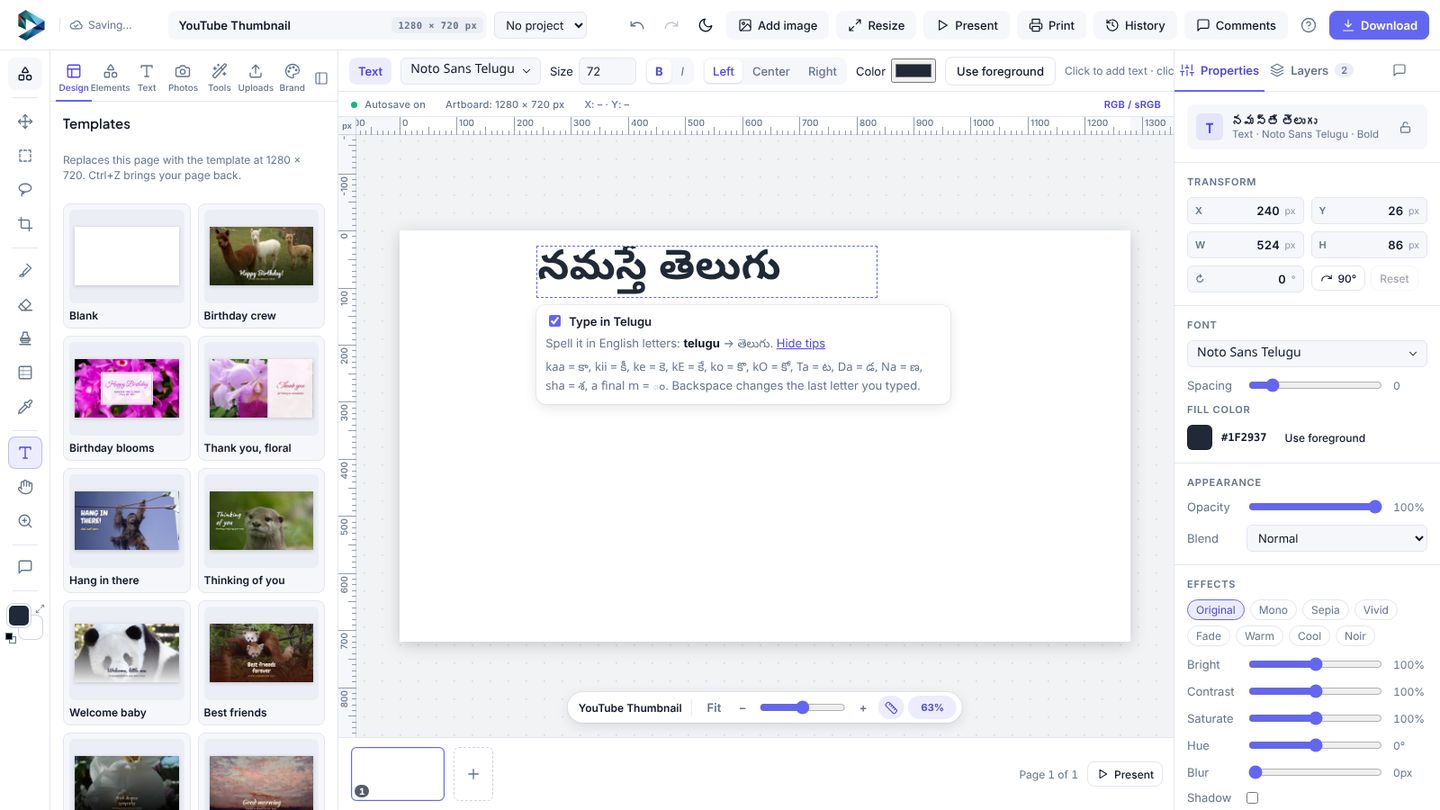
Choosing a Telugu font only changes how letters look. To type the letters themselves:
- Add text and pick a font for your language. The font menu's language filter shows fonts for Hindi, Tamil, Telugu, Kannada, Malayalam, Bengali and more.
- Double-click the text to edit it. A Type in Telugu (or your language) switch appears. Turn it on.
- Spell the sounds in English letters: "telugu" becomes తెలుగు, "namaste" becomes नमस्ते. A short guide under the text shows the trickier letters.
Turn the switch off to type English again. Arabic, Hebrew and Thai use an on-screen keyboard you click instead. It all runs in your browser and is free.