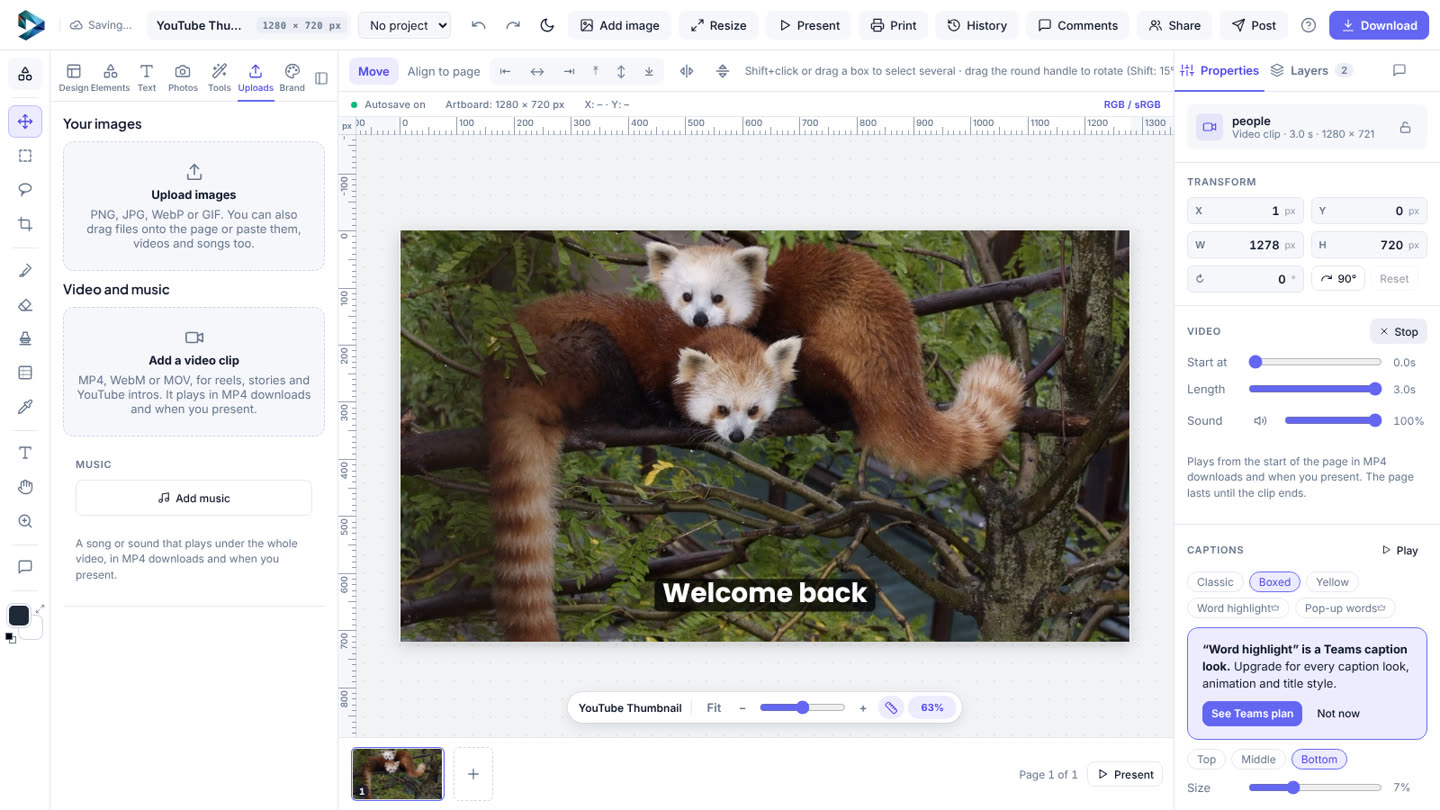
- Add your clip: Uploads → Add a video clip, or drag it onto the page.
- Select the clip and find Captions in Properties.
- Pick the language it's Spoken in (or leave Find out by itself). Tick Write them in English if you want them translated.
- Click Make captions. In a few seconds every word is written down.
- Pick a look (Classic, Boxed or Yellow; Teams also has Word highlight and Pop-up words), a position and a size.
- Fix any word in the list underneath, then Download → MP4.
Each clip uses one auto caption from your daily allowance: 20 a day on Free, 100 on Teams.